The drilling look-ahead
built for the rig floor.
Plan every rig operation, keep every vendor a tap away, and use your own run-time history to call crews at the right moment — not days early on standby, not scrambling when they're late. When the plan slips, LookAhead Pro reschedules the whole chain on every device.
No credit card required · Works on phone, tablet, Mac & PC
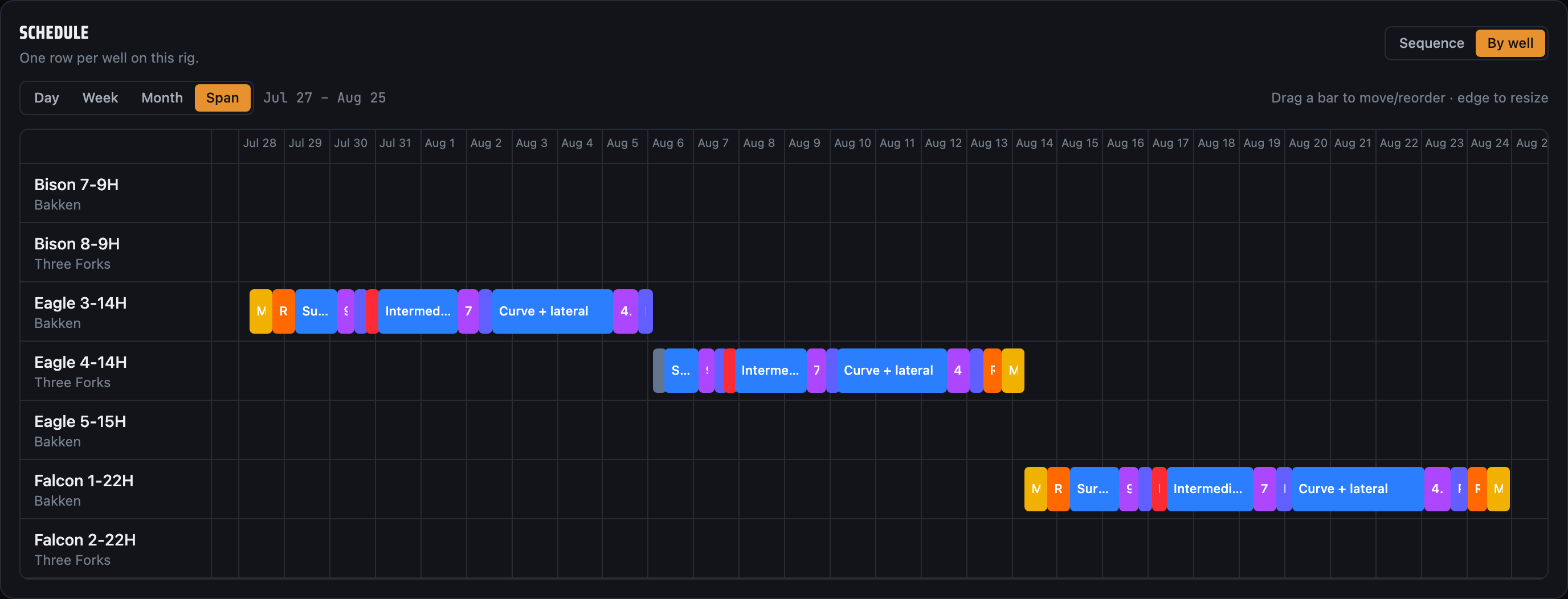
Made to be read at a glance, mid-trip.
Dark, fast and legible on the rig floor — the same plan on the phone in your pocket and the screen in the doghouse.
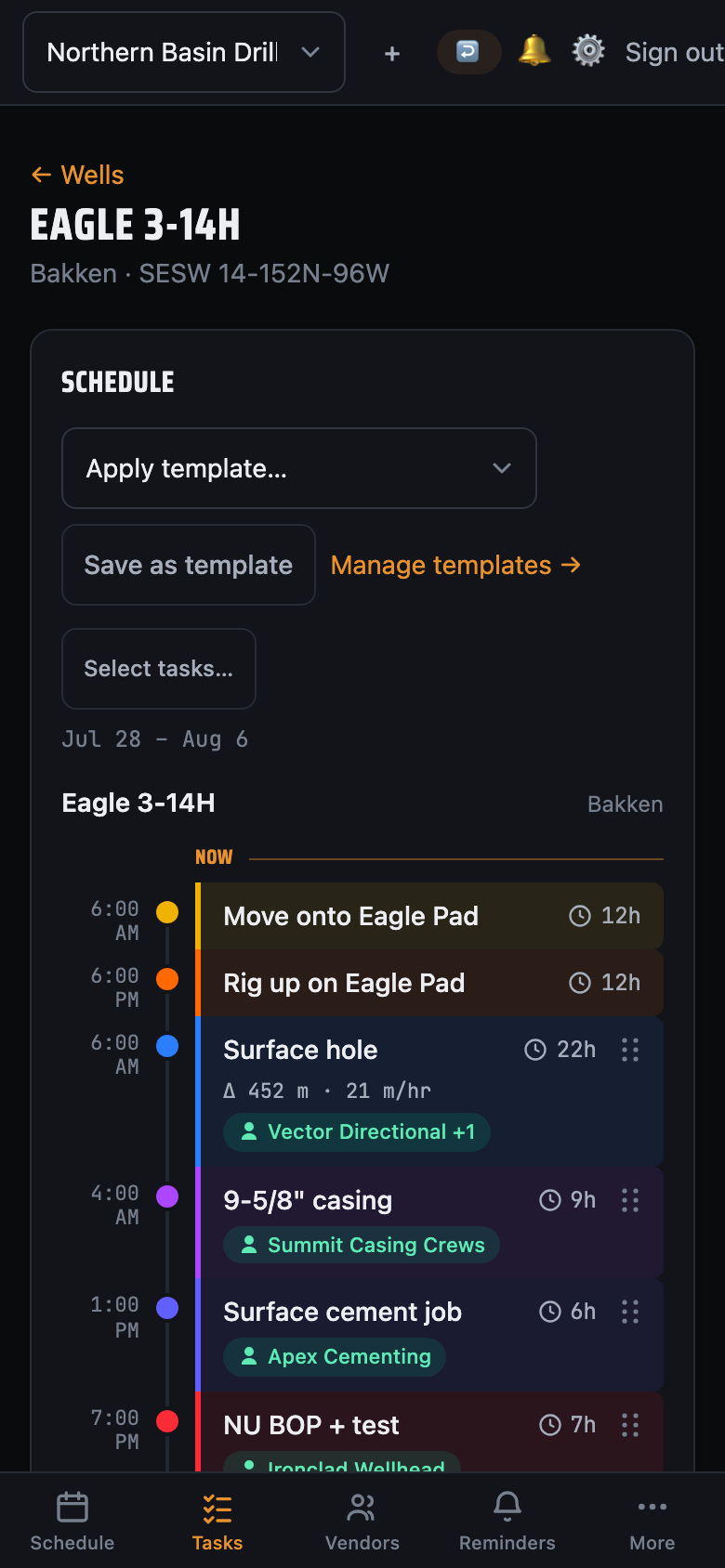
Made for the people who run the well
Move one operation. The whole chain reseats itself.
Drilling runs back-to-back — so when the bit trips early or cement runs long, every task downstream has to move. Drag a bar or change a duration and LookAhead Pro instantly reschedules the rest of the rig, contiguously, with no gaps and no overlaps.
- Drag to reschedule on a true time-scaled Gantt — day, week, or month.
- 15-minute snapping and a live "now" line keep the plan honest.
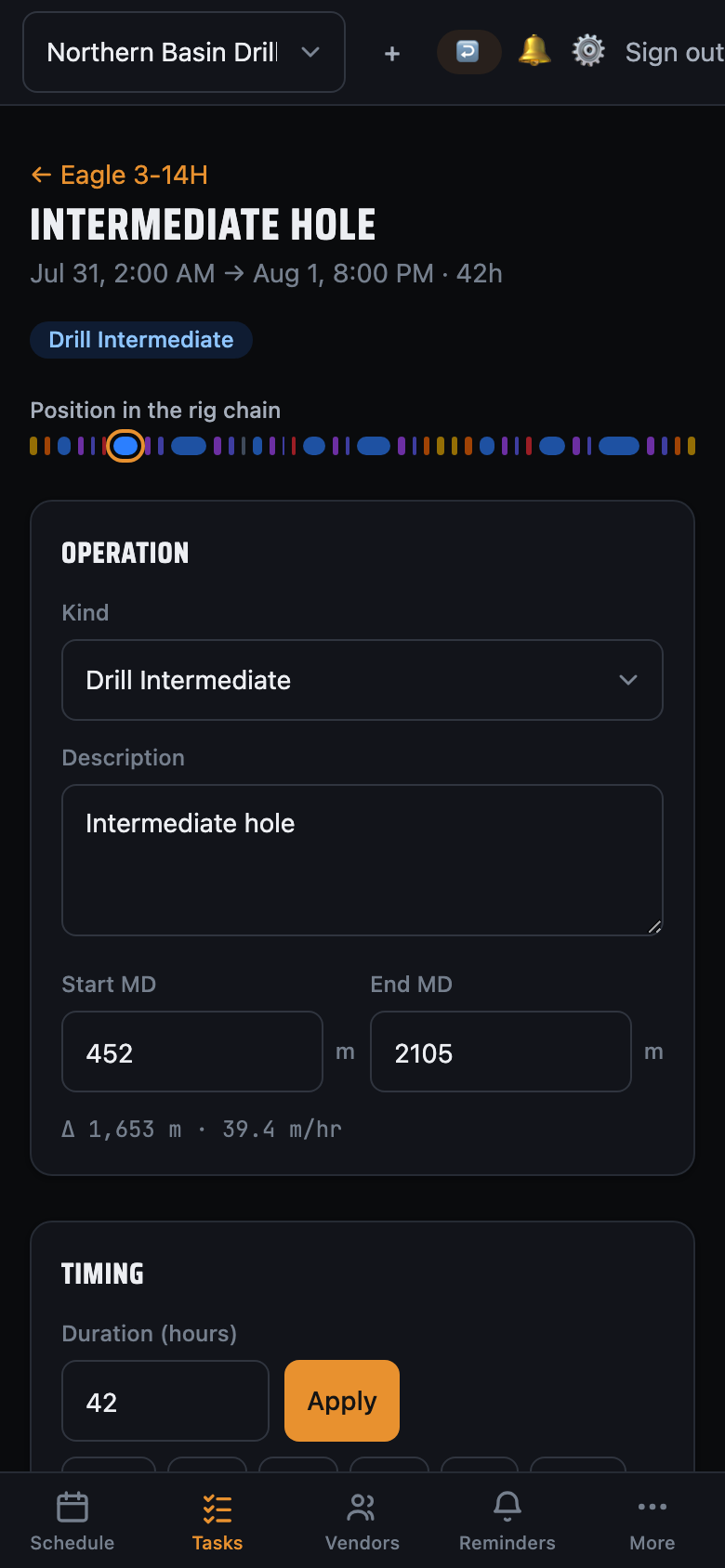
- Measured depth aware — track start/end MD and meters drilled per op.
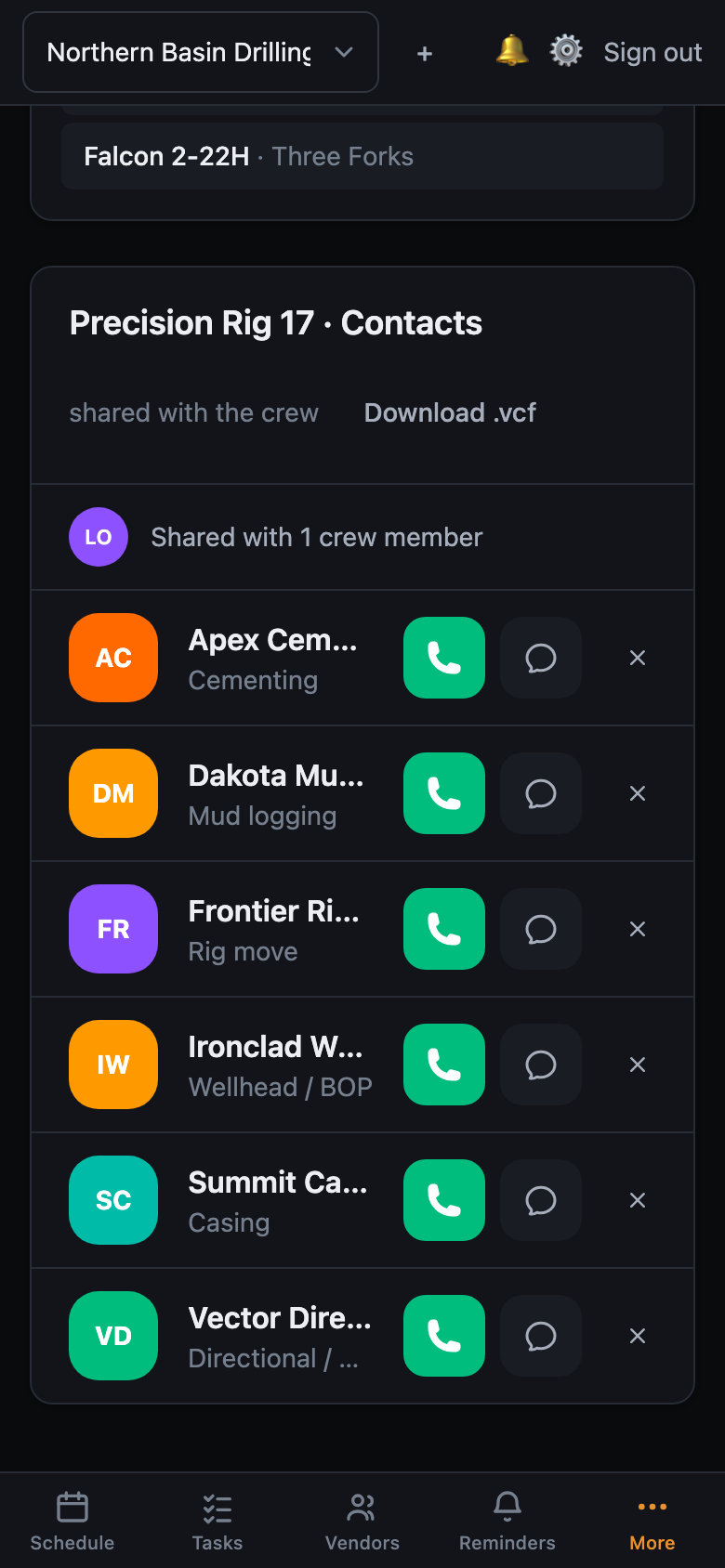
The rig's contact book, shared the moment someone joins.
Roll onto a new rig and the text blast starts — a dozen numbers to thumb into your phone, again. LookAhead Pro keeps them on the rig instead. Save the directional hand, the cementer, the casing crew, the office once — and the moment you add someone to the team, they have every number too. No forwarding, no re-typing, no stale contacts cluttering your phone when you roll off.
- Saved to the rig, not your phone — contacts stay with the well, not the person.
- Shared automatically — add a teammate and they get the whole directory instantly.
- One tap to call or text any contact, right from the app.
- Wired into your plan — attach vendors to operations so the reminders know who to chase.

The call always goes out — on time, on every device.
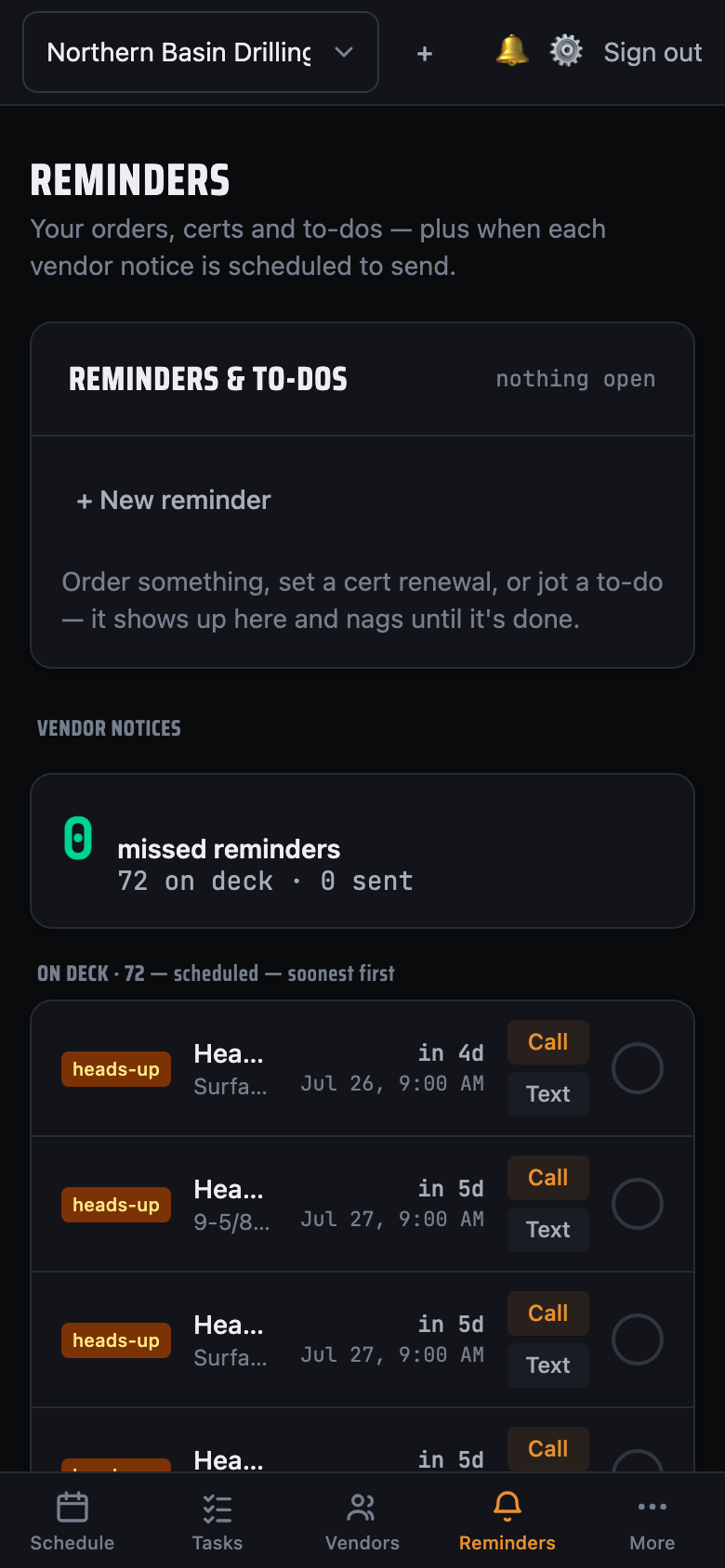
Attach the cementer, the directional hand, the casing crew — whoever the job needs. LookAhead Pro pings you days ahead for the heads-up and again hours before to firm it up — on iPhone, iPad, Mac and the web. Open the reminder and the vendor's a tap away.
- Zero missed windows — the whole point: not one reminder slips through the cracks.
- Orders, certs & to-dos — not just vendor calls; anything that supports the job, nagging until it's done.
- Two-tier reminders — a heads-up days out, a firm confirmation hours out.
- Push, email or text — pick the channels per person; the in-app inbox is always on underneath.
- Fires on iPhone, iPad, Mac & web — wherever you are.
- One tap opens the task to call or text the vendor.
- Reminders follow the plan — move an op and every reminder re-times itself.
Orders, certs & to-dos — pinned to the plan, nagging until they're done.
Everything that supports the job but isn't a step in it: order the casing a week before the run, a 15-day BOP pressure test the day the last one expires, or a plain "call this guy" note. Pin it to an operation and it rides the schedule — sliding when the plan slips — or give a standalone to-do its own date. Each fires once, then keeps nudging on an interval you set until someone marks it done.
- Lead-time orders — fire days before an operation so long-lead items are on the way in time.
- Cert & expiry tracking — a renewal that fires after an op ends, so the BOP test never sneaks up.
- Live & shared — the whole crew sees the same board what needs to be done, and who handled what.
- Travels with your templates — bake orders and cert reminders into a program and every well inherits them.
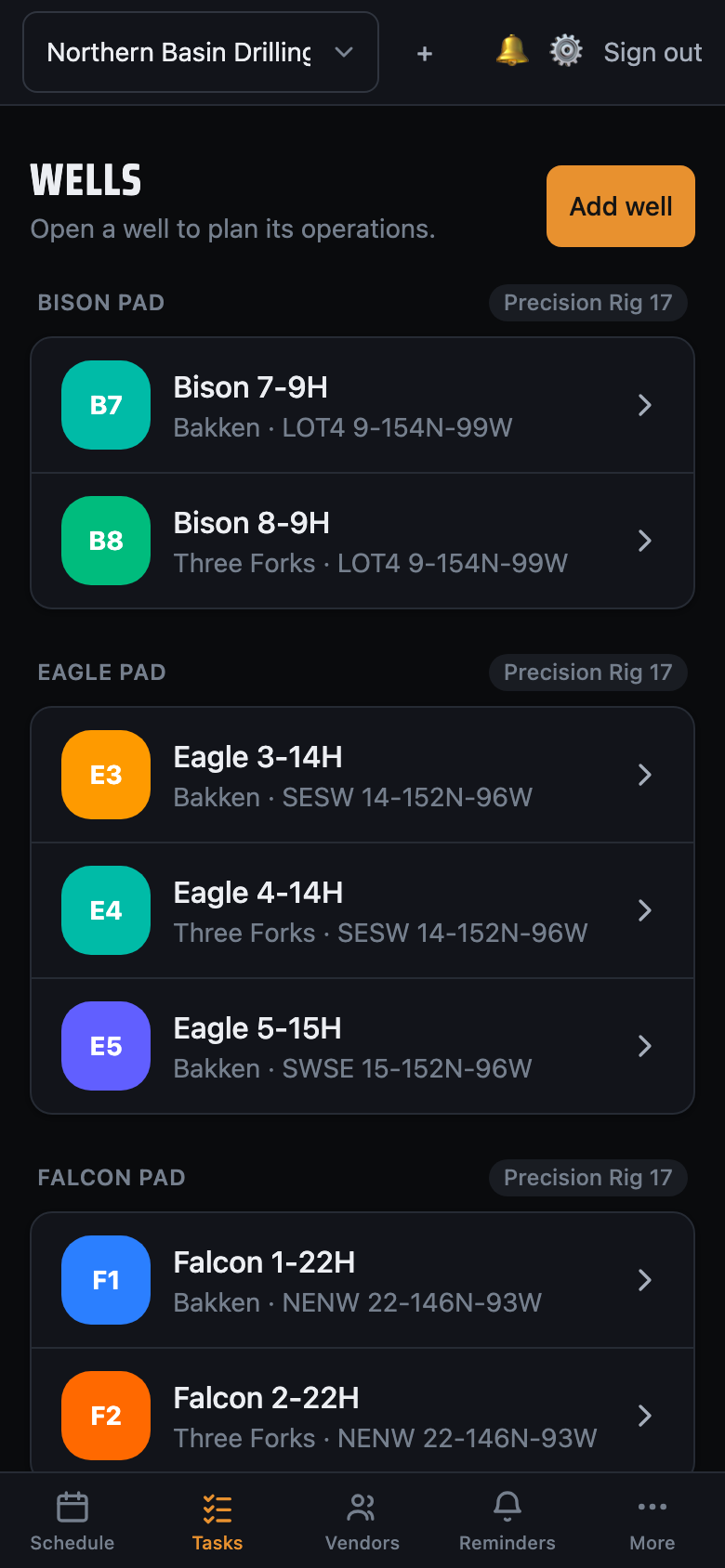
Plan the whole pad. Moves and walks place themselves.
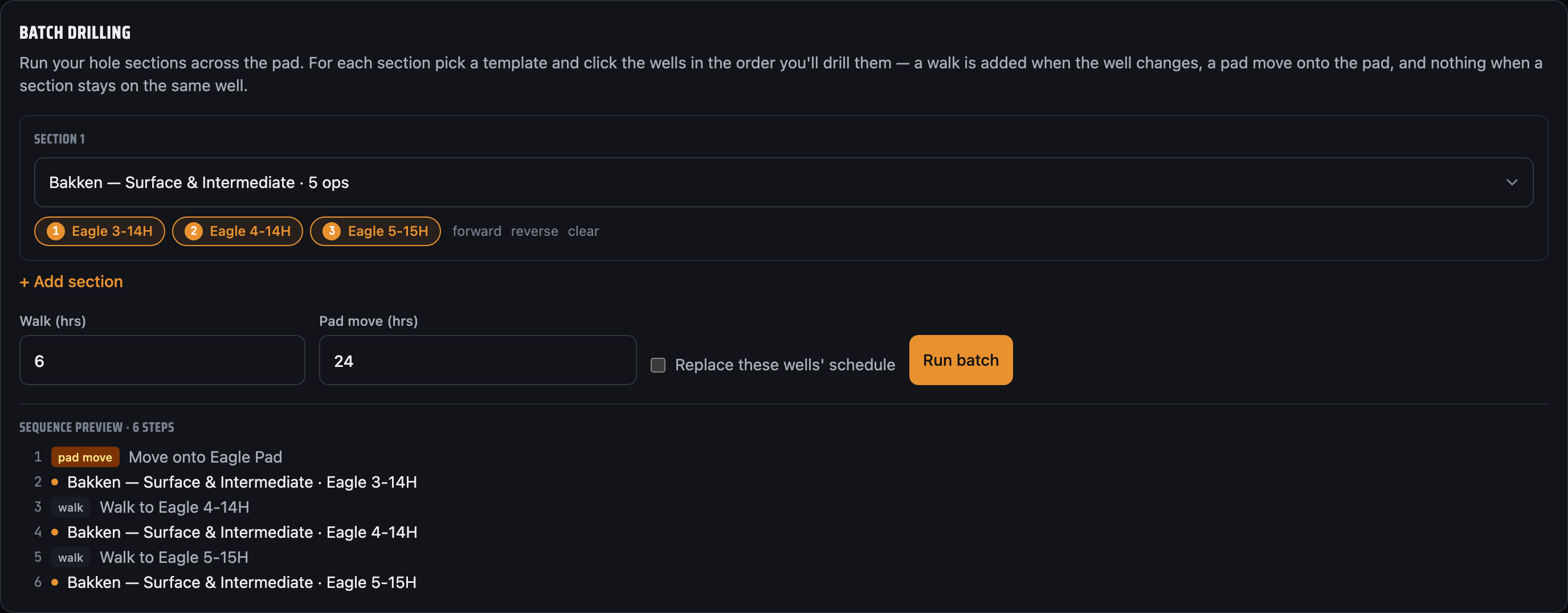
Sequence wells across a multi-well pad and LookAhead Pro inserts the rig walks and pad moves for you — correctly timed, in the right spots — so the look-ahead always reflects how the rig actually moves. Batch drilling included.
- Auto-derived gates — a pad move when the pad changes, a walk when the well does.
- Reorder safely — operations can't jump across a move or walk by accident.
- AFE days per well — compare planned vs. authorized at a glance.
Your own numbers, turned into better estimates.
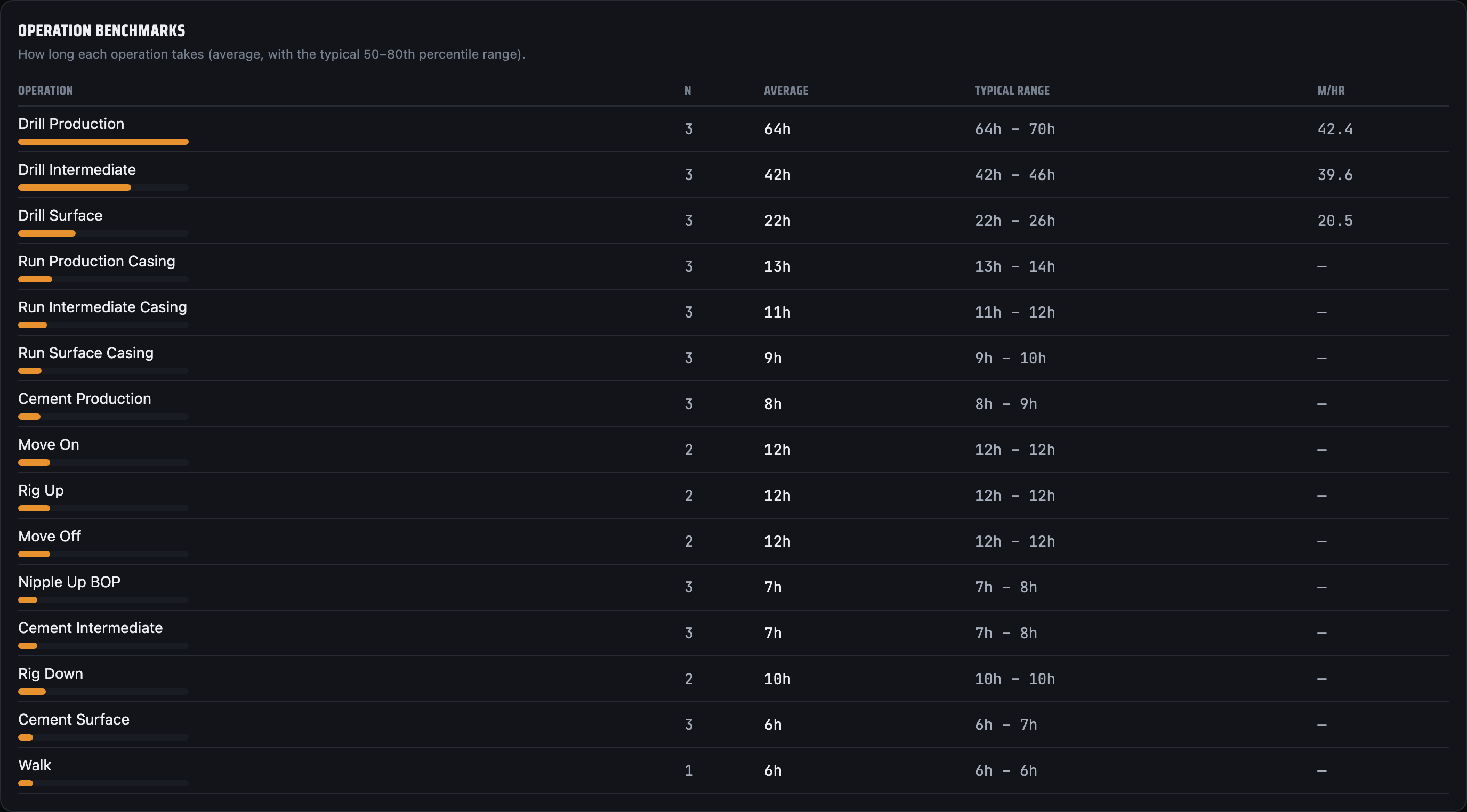
Every completed operation feeds your history. LookAhead Pro learns how long your recurring operations actually take — P50/P80 by job code and rate per metre — and recommends the duration for the next one. So you give each vendor the right lead time and stop paying crews to sit on standby (or scrambling when they show up late).
- Right-time your vendor calls — less standby, fewer delays.
- Stats by job code — average, P50, P80, and rate (min/m) per operation.
- Smart duration suggestions that scale with measured depth.
- Tighter AFEs grounded in your real performance history.
Know what the kit cost before the invoice argues about it.
Log a tool when it lands — what you call it, the serial off the plate, who it's rented from — and LookAhead Pro counts the days. Possession and billing are kept deliberately apart: it can sit on location and cost you nothing. Nothing accumulates day by day, so an open rental keeps counting correctly without anyone touching it.
- In use or on location — set what the tool is doing now and every day ahead takes it as it passes.
- Days charge to the right hole — derived from the rig's own program: whichever well it spent most of that day on.
- A billing list you can put down — every company owed days on the well, filtered to what's still unsent, your ticks kept.
- Send it from the row — mail or text, days spelled out one by one, never collapsed to a range a vendor can round up.
-
In each vendor's own billing template — drop
[Equipment]where the kit and days belong and it fills itself from the tick list. - Claimed vs derived, side by side — "12 days · sent as 11" is what settles a query a month later.
Build the program once. Stamp it on every well.
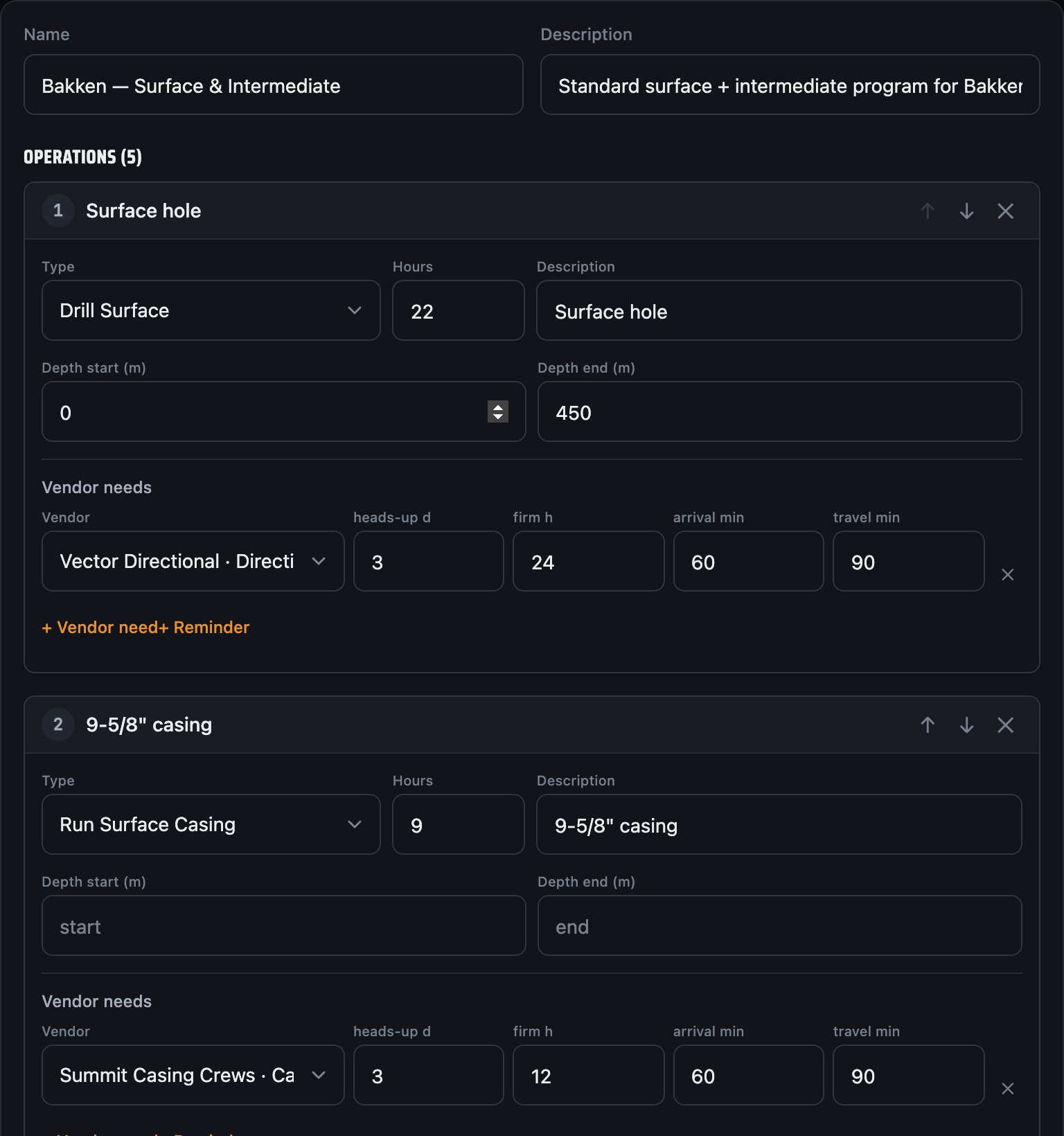
Save a well's full program — operations, durations, depths, and the vendor each step needs — as a reusable template. Apply it to the next well, or batch it across a whole pad in one move: every operation and every vendor requirement comes with it. Remap vendors when the area or crew changes.
- Capture once — turn any well's program into a named, reusable template.
- Vendors & reminders travel with it — each step keeps its vendor timing plus any order or cert reminder.
- Batch across a pad — stamp one hole-section on every well; rig moves placed for you.
- Remap on apply — swap in the right crews for this job or area.
One tool from spud to rig release
The details that turn a plan into a program your whole crew can run.
Reusable well programs
Save a proven sequence as a template and drop it onto the next well in seconds — no re-typing the program.
Roles for the whole crew
Invite your team and set who can view, edit, or manage — owner, admin, and member roles keep the right people in control.
AFE & days tracking
Carry authorized days per well and watch planned vs. AFE as the schedule shifts beneath you.
Real-time everywhere
Changes sync live across every device the moment they happen — the office and the rig are never out of step.
Built for the field
A fast, focused interface that gets out of your way on the rig — designed for low-connectivity sites.
Gantt or calendar
Zoom from a single tour to the week ahead to the whole program — or flip to a month, week or day calendar. Each screen remembers how you last read it.
Record what actually happened
Tripped out mid-section? Split the operation and drop the trip into the gap. Rig walked early? Say where it went and that well's next block follows it — the drill order re-sequences and the walks place themselves.
NPT, logged where it happened
Weather, stuck pipe, waiting on a vendor — log the hours lost against the operation itself. It's a record, not a reschedule, and analytics totals it by cause.
Order & billing templates, per vendor
Each vendor carries what you order from them and how you bill them — two saved messages, pre-filled with the well, the AFE and the directions to location. Anything in [brackets] becomes a field you fill on the way out, and an unfilled one keeps its brackets rather than silently vanishing.
Every call, logged for the handover
Ringing a vendor from anywhere in the app records it — who, when, which channel, and the outcome. Two people never chase the same crew twice.
The manual is in the app
Thirty-odd articles covering every screen, and a ? beside the title that opens the one explaining what you're looking at. Works offline like the rest of it.
Vendors confirm by text
Text the operation straight to the vendor's phone — they reply to confirm and the op updates itself. The rep stops chasing calls; only the no-shows need a nudge.
The same plan, everywhere you work
Phone in your pocket, tablet in the doghouse, laptop at the office. One account, always in sync.
Free while we're in beta
Every feature, no limits, no credit card. We're tuning LookAhead Pro with real rigs before we set prices — so the whole app is free during the beta.
Solo
For the independent consultant or company man running their own program.
- Unlimited rigs, wells & operations
- Gantt look-ahead & auto-rescheduling
- Vendor reminders & one-tap calling
- Rig contact book — call & text
- Rental days & end-of-well billing
- All platforms
Crew
For drilling teams sharing rigs, programs and the same live plan.
- Everything in Solo
- Teams with owner / admin / member roles
- Real-time shared schedules
- Shared rig contacts & templates
- Operation analytics
Operator
For operators and service companies running many rigs at scale.
- Everything in Crew
- SSO & advanced security
- Onboarding & priority support
- Volume pricing & invoicing
Free for everyone while we're in beta. After launch we'll introduce simple per-rig pricing — and beta users lock in founding rates.
Get your next well on schedule
Build your first look-ahead in minutes. Bring the plan, the vendors, and the reminders into one place.
Free during the beta · No credit card required